

Quick answer: Go to https://suppression.peopleconnect.us, verify your email and complete PeopleConnect’s identity steps (date of birth, legal name, select your record, set it to “Suppressed”), then enter the one-time code and watch for a confirmation email. Free, about 15 minutes. Listings usually come down within 72 hours, with up to 10 business days for every PeopleConnect site to catch up.
What is USSearch?
USSearch, written as US Search on its own homepage, has been selling people lookups since 1993, which makes it one of the oldest operations of its kind still running. It belongs to Intelius LLC, part of the PeopleConnect group, and its reports tie a name to an age, decades of addresses, phone numbers, and relatives. Records like these do not sit quietly in a database. They get merged and resold into the calling and mailing lists that keep an older person’s phone ringing with fake Medicare offers and prize claims.
Before you start
The removal is free. A broker charging a fee to take down your own information is running a second racket on top of the first, so close that tab and use the official tool.
Have three things ready: an inbox you can open immediately (the verification link goes dead after roughly 15 minutes), the date of birth of the person being removed, and a phone nearby for a possible text code.
Doing this for a parent? PeopleConnect formally accepts third-party requests only with signed authorization or a power of attorney, and it still confirms through the person’s own contact points. The simpler route by far is to pull up a chair next to them and click through it as a team. What they get out of it is concrete: fewer junk calls interrupting dinner, a thinner pile of mystery mail, and fewer scam texts arriving on their phone.
How to opt out of USSearch
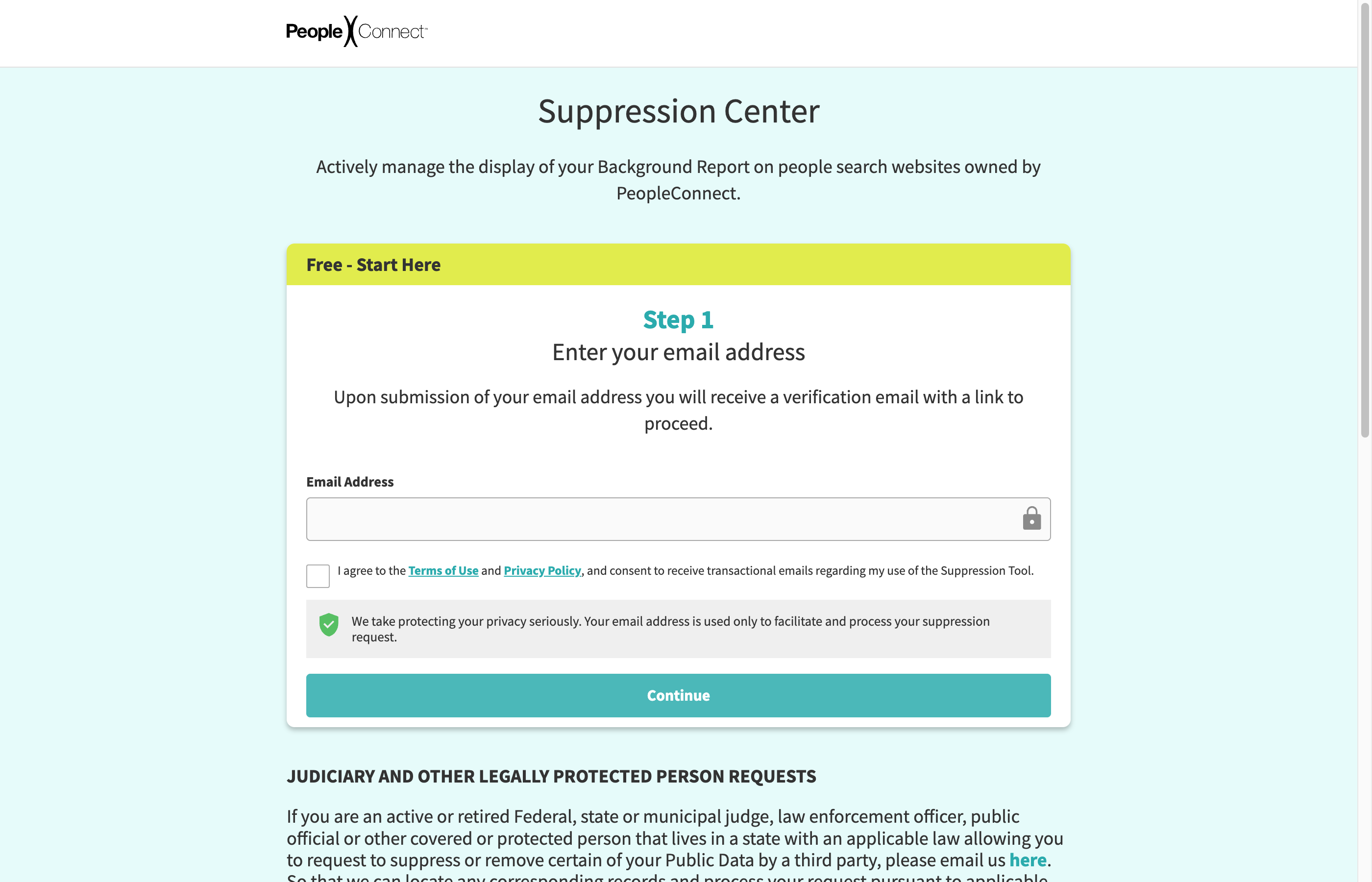
One suppression request here also covers Intelius, TruthFinder, and Instant Checkmate, the sibling sites in the PeopleConnect family.
- Go to https://suppression.peopleconnect.us. The footer links on ussearch.com (“Do Not Sell or Share My Personal Information” and “Exercise My Data Privacy Rights”) lead to the same place.
- Enter your email address, agree to the terms, and submit.
- Open the message from PeopleConnect and click “Verify Email” right away. Miss the roughly 15-minute window and you start over.
- Type in the date of birth, check the declaration box, and continue.
- Enter the first, middle, and last name, confirm it is the legal name, and continue. There is an “add another name” option for maiden names.
- Review the matching records, select the right one by comparing ages and cities, and continue.
- Pick email or phone for identity verification and request the code. It goes to a contact point listed on the record itself, so have that inbox or handset available. Enter the code when it arrives.
- Find the setting on your record that controls whether it is shown, choose the suppressed option, and save.
- A confirmation email from PeopleConnect closes the loop.
None of this is difficult. It is just nine small hoops where one would have done.
How long it takes
PeopleConnect’s stated window is 72 hours for the suppression to take hold, and up to 10 business days for the change to reach every site in its network. Note what suppression means: your report stops appearing in name searches, but the underlying public records still exist and PeopleConnect may retain the data internally.
Check back in a few months
A new phone contract, a move, or a property record can hand PeopleConnect enough fresh data to build a listing your old request never covered, so put a 90-day reminder on the calendar. Now multiply that reminder across the 20 or so broker sites a typical family ends up managing by hand, each relisting on its own schedule, and the quarterly chore starts to crowd out the things you would rather be doing. KinKeeper keeps supported removal requests and repeat checks organized in one place.
Frequently asked questions
Is the USSearch opt out free?
Yes. The PeopleConnect Suppression Center costs nothing to use. Any site or service that wants money just to delete your own listing is running a scam of its own.
Can I opt my mom or dad out of USSearch?
PeopleConnect only accepts requests from an agent who has signed authorization or power of attorney, so the realistic path is to sit beside your parent and complete it together. Keep their phone within reach, because the one-time code may go to a number shown on their record.
I finished the opt out. Why is my listing back?
Suppression applies to the specific record you selected. When a fresh public record reaches PeopleConnect, it can spawn a new listing your earlier request never touched. Search your name again about every 90 days and repeat the process if needed.
More opt-out guides
One suppression request covers all of these.

Privacy protection
Use the guide now. Keep status in one view.
Use the free guide, or keep supported opt-outs, status, and repeat checks together with KinKeeper Privacy.
Waitlist updates · No payment required · Unsubscribe anytime