

Quick answer: Go to https://suppression.peopleconnect.us, verify your email and enter the date of birth and legal name on the listing, then set the matching record to suppressed. Free, about 15 minutes. Listings usually come down within 72 hours, and within 10 business days at the outside.
What is Addresses.com?
Addresses.com dresses itself up as a plain online phone book. Type in a first name, last name, and state, and it serves up ages, street addresses, partial phone numbers, past occupants of a home, even the neighbors. The fine print at the bottom of the site tells you who is really behind it: every page says “Addresses.com powered by Intelius,” and the copyright belongs to Intelius LLC, part of the PeopleConnect family of people search brands. Pages like these are raw material for the call lists and mailing lists that flood older people with junk and worse, because a page showing someone’s age next to a home address and phone number has quietly assembled everything a scam operation needs to pick its next target.
Before you start
The removal is free. No broker gets to charge you for taking down information you never gave it, so treat any removal fee as a scam of its own.
Have three things ready: an email inbox you can open on the spot, a phone that can receive a text code, and the date of birth of the person being removed. The verification link in this process dies quickly, so do not start the form and wander off.
Doing this for a parent? The Suppression Center confirms each request with codes sent to the email and phone typed into the form, so the smoothest route is to run through it together during a visit or over a call. PeopleConnect does accept requests from an authorized agent, but it wants signed authorization or a power of attorney first. Fifteen minutes of shared effort now means their number rings less often and their mailbox carries less bait.
How to opt out of Addresses.com
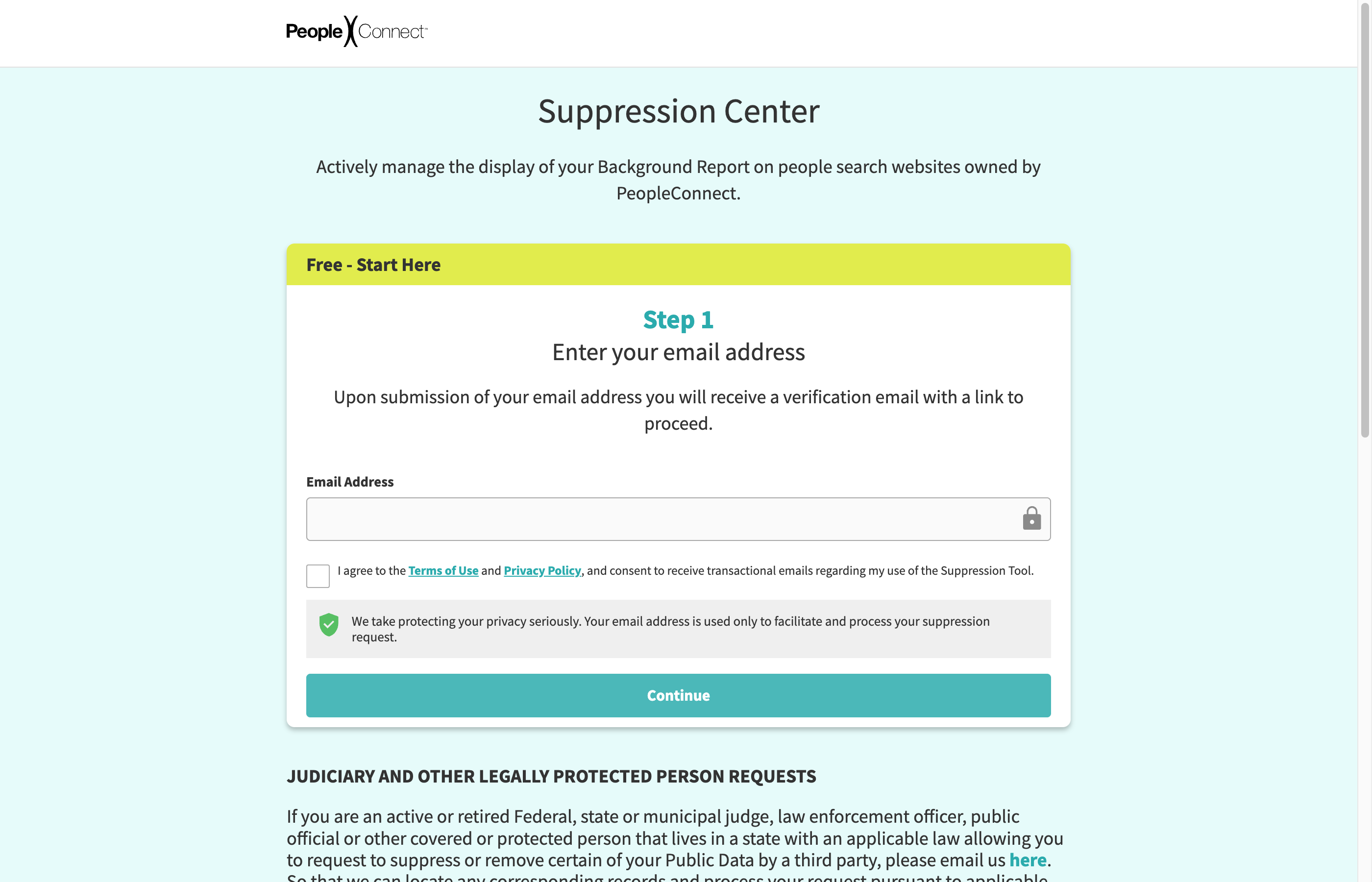
Because Intelius supplies every record on Addresses.com, one suppression request clears this site along with Intelius, TruthFinder, Instant Checkmate, and US Search.
- Open the PeopleConnect Suppression Center at https://suppression.peopleconnect.us. The “Exercise My Data Privacy Rights” link at the bottom of addresses.com leads to the same Intelius privacy tools.
- Type in your email address, tick the agreement box, and submit.
- Find the PeopleConnect message in your inbox and click the verification button right away. The link expires in roughly 15 minutes, and a dead link means starting over.
- Enter the date of birth, then the full legal name, checking the box that confirms it is the legal name.
- Pick the correct record from the list of matches. Compare the age and the listed cities before you choose.
- Request a verification code by email or text and type it in when it arrives.
- Find the setting on the record that controls whether it is shown, choose the suppressed option, and save. A confirmation email should follow.
A note on older instructions: many guides still point to a form at addresses.com/optout.php. That page is a dead end. Checked in a regular browser in July 2026, it returns a “Not Found” error, and the site footer (now ”© Intelius LLC”) carries the “Exercise My Data Privacy Rights” link instead. Skip the legacy form.
How long it takes
Recent guides put typical suppression at about 72 hours, with up to 10 business days for the change to reach every PeopleConnect property. Two things to keep straight: suppression hides the listing from searches rather than erasing the underlying records, and the company never stops collecting new ones.
Check back in a few months
Nobody tells you at the start that a family will repeat some version of this dance on more than twenty sites, each with its own quirks, so pace yourself. A fresh public record or a change of address can spawn a brand new listing that your old suppression request never touched. Put a note on the calendar to search the name on Addresses.com every 90 days and repeat the process if something new surfaces. KinKeeper keeps supported removal requests and repeat checks organized in one place.
Frequently asked questions
Is there an opt-out form on Addresses.com itself?
Not one you can count on. An old form at addresses.com/optout.php still shows up in guides, but the site now routes privacy requests to Intelius, and the PeopleConnect Suppression Center is the path that actually works.
Can I take my mother's Addresses.com listing down without her?
Only partly. The Suppression Center sends verification codes to the email and phone entered on the request, so plan to complete it together. Formal requests on her behalf require written authorization or a power of attorney.
Does this removal also cover Intelius and TruthFinder?
Yes. Addresses.com pulls its records from Intelius, and a single suppression request applies across the PeopleConnect brands, including Intelius, TruthFinder, Instant Checkmate, and US Search.
More opt-out guides
One suppression request covers all of these.

Privacy protection
Use the guide now. Keep status in one view.
Use the free guide, or keep supported opt-outs, status, and repeat checks together with KinKeeper Privacy.
Waitlist updates · No payment required · Unsubscribe anytime