

Opt-Out Guide
How to Remove Yourself from Radaris (2026 Guide)
Quick answer: Go to https://radaris.com, find the profile and submit its URL through the “Remove My Info” link in the page footer, then click the confirmation link in the email Radaris sends you. Free, about 10 to 15 minutes. Listings usually come down within 24 to 48 hours.
What is Radaris?
Radaris is a people search site and data broker. It builds profiles from public records and web sources, and a profile can list a person’s name, age, current and past addresses, phone numbers, relatives, work history, and more. Radaris also sells full background reports on top of what it shows for free. For a senior, the risk is direct, because those listings hand a scammer everything needed to target someone: a phone number, an age, and a home address on a single page.
Before you start
Set aside 10 to 15 minutes, plus some waiting time. The confirmation email can take 30 minutes or more to arrive. Removal is free, and you do not need to create an account. Any site that charges for this is selling you something you can do yourself.
You will need:
- A web browser
- An email address you can check
- The web address (URL) of the Radaris profile you want removed. The steps below walk you through finding it.
Doing this for a parent? Get their OK first, then complete the steps from your own computer and email; nothing in the process requires them to touch a keyboard. What they notice afterward is the quiet: spam calls taper off, junk mail thins out, and scam texts have a harder time finding them. Radaris is one entry on a long list, though. Doing the cleanup manually means visiting twenty or more sites like it, each demanding its own paperwork and its own confirmation.
How to opt out of Radaris
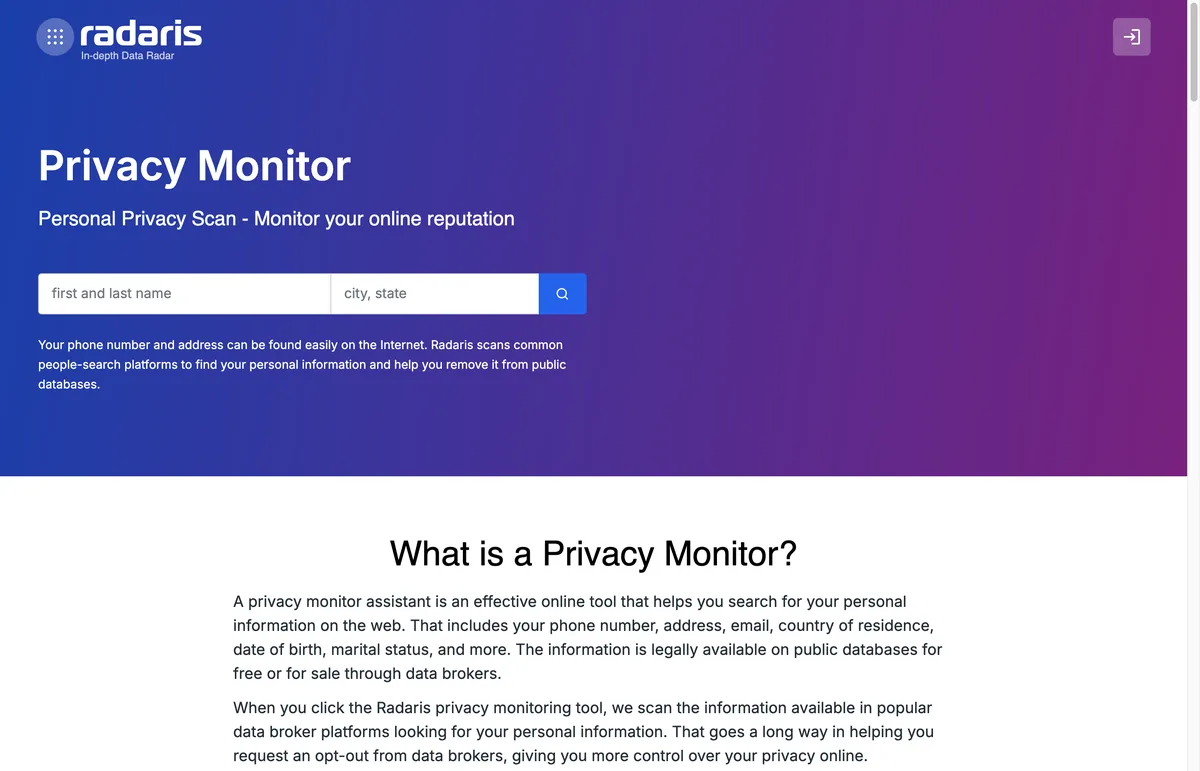
- Go to https://radaris.com and search for the person. Enter the first and last name, city, and state, then run the search.
- Find the correct listing and click “View Profile.”
- Copy the profile page’s web address (URL) from your browser’s address bar. You will need to paste it in a moment.
- Scroll to the bottom of the page and click the removal link in the footer, labeled “Remove My Info.” (Label confirmed on the live site in July 2026; the footer also carries a separate “Do Not Sell My Info” link.)
- Click “Next,” paste the profile URL into the field, and click “Next” again.
- Click “Start Removing.”
- Enter your email address, complete the security check, and submit.
- Watch your inbox for a confirmation email from Radaris. It can take over 30 minutes, so check your spam folder if it seems slow. Open the email, follow the link, and click “Confirm” to finish.
- Save the confirmation code from that email. If your profile is still up after two days, you can check your request at https://radaris.com/control/check_request_status by entering that code.
How long it takes
Radaris says profiles are removed within about 24 to 48 hours of confirmation. After two days, search the site for the name again. If the profile is still there, use the status page and your confirmation code, or contact the Radaris help center.
Check back in a few months
Radaris keeps pulling in new public records, and new information is not always matched to a profile you already removed. That means a fresh listing can appear under your name months later. Search Radaris for yourself, and anyone you helped, every 90 days and repeat the removal if a new profile shows up. Do that by hand across a full broker list and you are essentially redoing the entire cleanup four times a year. KinKeeper keeps supported removal requests and repeat checks organized in one place.
Frequently asked questions
Do I need to create a Radaris account to opt out?
No. Older guides describe creating an account or sending a faxed request, but the current process only needs your profile link and an email address you can check.
How long does Radaris take to remove a profile?
About 24 to 48 hours after you click the confirmation link in the email. You can check progress on the Radaris removal status page using the code from that email.
Can I remove my mom's or dad's Radaris profile for them?
Yes, with their permission. You can complete the whole process from your own computer and email. Just make sure they know and agree before you submit the request.
More opt-out guides

Privacy protection
Use the guide now. Keep status in one view.
Use the free guide, or keep supported opt-outs, status, and repeat checks together with KinKeeper Privacy.
Waitlist updates · No payment required · Unsubscribe anytime