

Quick answer: Go to https://voterrecords.com/voters/ and open your detailed record page, click the “Record Opt-Out” link at the very bottom and submit the form, then click the verification link if one arrives by email. Free, about 10 minutes. Listings usually come down within a week.
What is VoterRecords?
VoterRecords.com republishes voter registration data that state governments release as public record. A listing can include a full name, age, home address, party affiliation, and sometimes a phone number or email, and the site lets anyone search by name, address, or phone. For an older adult, that combination does real damage: phone plus age plus street address is a targeting profile, and a party label on top gives scam callers and junk mailers an easy opening line.
Before you start
Removal here is free. No legitimate broker charges to process an opt-out, so treat any removal invoice as a scam in its own right. Have a browser, an email address you can check, and the state where the person is registered, which helps narrow a common name.
Doing this for a parent? The form does not ask for ID or an account, so an adult child can complete it with a parent’s permission. The payoff is concrete: their house number and phone drop off one more list that feeds spam calls, scam texts, and piles of political junk mail.
Somewhere around the eighth broker form, this whole family project starts to feel like a part-time job. VoterRecords’ particular quirk is hiding the exit at the very bottom of the page.
How to opt out of VoterRecords
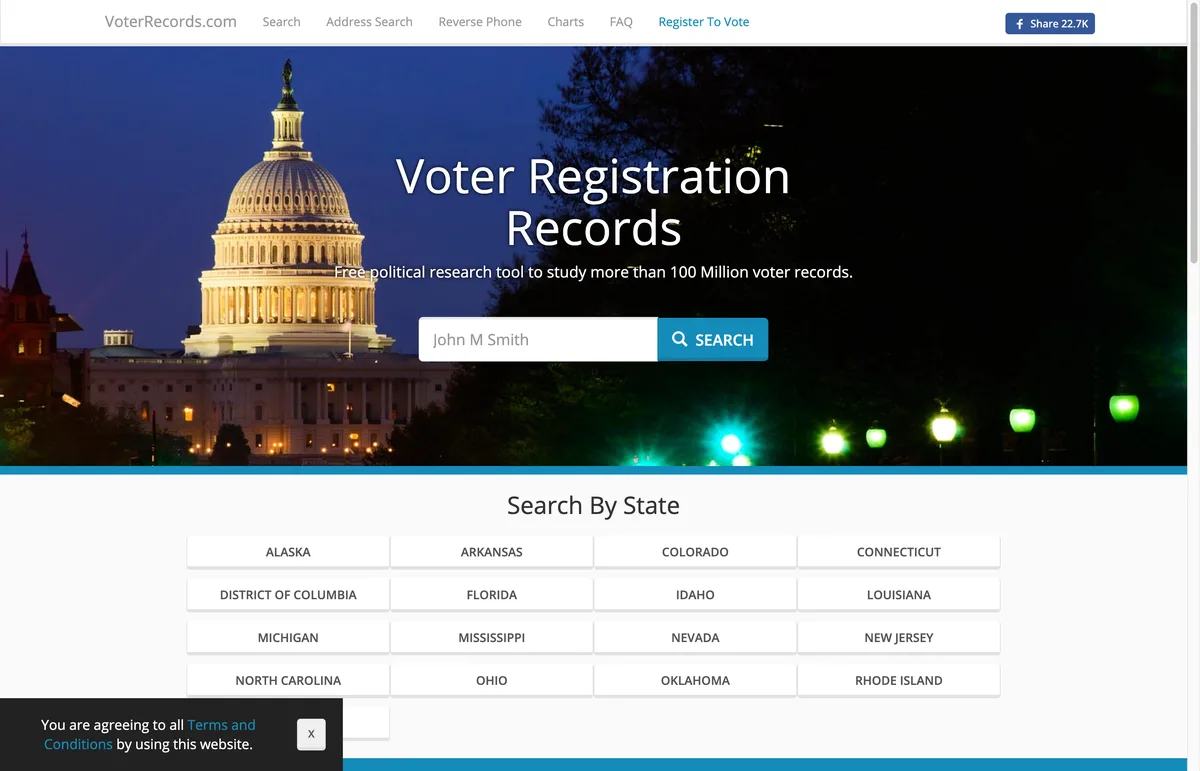
- Go to https://voterrecords.com/voters/ and search the name. Add the state if the results run long.
- Click the person’s name in the results to open their detailed record page. The opt-out link only exists there, never on the search results page.
- Scroll all the way to the bottom of the record page and click the “Record Opt-Out” link. It opens a form tied to that specific record.
- Complete the short form that opens. It asks for basics like the name and an email address. Tick the agreement box, pass the human check, and submit.
- Watch the inbox for a verification email and click the link inside. Check spam too. Not everyone gets this email; the site’s FAQ says that if none arrives, the request was usually processed without extra verification.
- Refresh the record page, clearing your browser cache if needed, and confirm the house number, phone, and email are gone. Repeat for any other records, such as an old registration in another state.
If you hold an official public-records exemption, VoterRecords says it will fully remove your information once you send proof through its contact page at https://voterrecords.com/contact.
How long it takes
VoterRecords does not commit to a stated window. Its FAQ simply says the hidden details “should no longer appear” once the steps are done. Third-party guides from 2025 and 2026 report real-world processing ranging from about one to seven business days. If the details are still showing after a week, submit the request again.
Check back in a few months
Voter rolls get refreshed. Every time a state releases updated registration data, VoterRecords can rebuild listings, and details you hid last year may quietly return, especially after a move, a party change, or an election. Make a habit of searching the site every 90 days for yourself and for the parent you did this for. KinKeeper keeps supported removal requests and repeat checks organized in one place.
Frequently asked questions
Will opting out erase my whole VoterRecords listing?
Usually not. The standard opt-out hides your house number, phone number, and email address, while your name, party affiliation, and general area can stay visible because they are public record. Full removal is reserved for people with an official public-records exemption, who can send proof through the site's contact page.
My dad is not online. Can I submit the VoterRecords opt-out for him?
Yes. The form sits at the bottom of his record page and asks for a name and an email address, with no login or ID upload. Ask him first, use an email you actually check, and click the verification link if one arrives.
Could his record show up again after the next election?
It can. States release updated voter rolls on their own schedules, and a new release can bring back details an earlier opt-out hid. Recheck the site every 90 days, and give it an extra look after a move or an election year.
More opt-out guides

Privacy protection
Use the guide now. Keep status in one view.
Use the free guide, or keep supported opt-outs, status, and repeat checks together with KinKeeper Privacy.
Waitlist updates · No payment required · Unsubscribe anytime